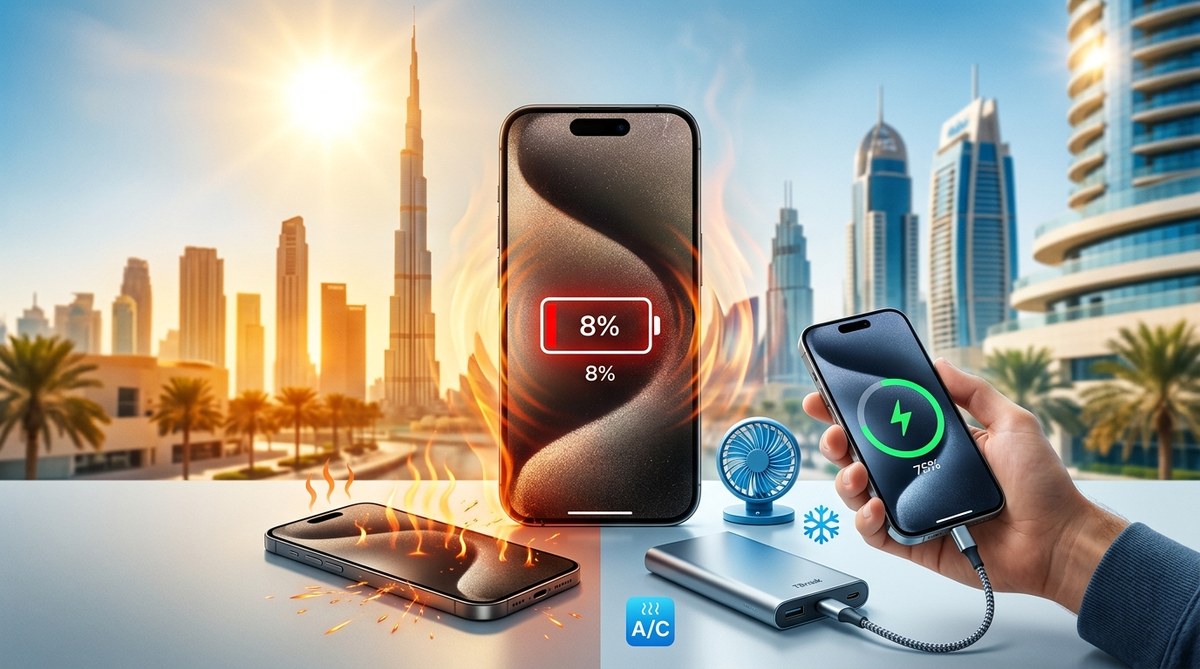
Why Your Smartphone Battery Drains Faster in Dubai Summers and How to Fix It
Your phone feels like it’s on fire after five minutes in the car. The battery percentage drops from 80% to 40% before lunch. You’re not imagining it.
Dubai summers push smartphones beyond their design limits. When ambient temperatures hit 45°C outside and your car interior reaches 70°C, your phone’s lithium-ion battery enters survival mode. The chemistry inside those cells wasn’t built for this kind of heat, and it shows in your battery life.
Phone batteries drain faster in summer because heat accelerates chemical reactions inside lithium-ion cells, increasing internal resistance and forcing your device to work harder. Temperatures above 35°C cause permanent capacity loss. Keep your phone cool, reduce screen brightness, close background apps, and avoid direct sunlight to preserve battery life during hot months.
The science behind summer battery drain
Lithium-ion batteries power almost every smartphone on the market. These batteries rely on chemical reactions to store and release energy. Heat speeds up those reactions.
At normal temperatures (20°C to 25°C), your battery operates efficiently. The ions move smoothly between electrodes. Energy flows predictably.
Above 35°C, everything changes. The electrolyte inside your battery becomes more active. Internal resistance increases. Your phone needs more power to perform the same tasks.
Think of it like running a marathon in 45°C heat versus 20°C weather. Your body works harder, burns more energy, and tires faster. Your phone does the same thing.
The damage isn’t just temporary. Every hour your phone spends above 35°C permanently reduces its maximum capacity. A phone that could last 10 hours on a full charge might only manage 8 hours after a summer of heat exposure.
Apple and Samsung both specify optimal operating temperatures between 0°C and 35°C. Dubai regularly exceeds that upper limit for six months straight.
Why your phone gets even hotter in summer
Your phone generates its own heat during normal use. The processor, screen, and cellular radio all produce thermal energy. In winter, that heat dissipates easily into cooler air.
Summer eliminates that temperature difference. When the air around your phone is 40°C and your phone is trying to cool down to 35°C, physics works against you.
Direct sunlight makes everything worse. Your phone’s glass and metal body absorbs solar radiation. The internal temperature can spike 10°C to 15°C above ambient in minutes.
Certain activities create more heat than others:
- Gaming sessions that push the GPU to maximum performance
- Video recording, especially at 4K resolution
- GPS navigation with the screen on continuously
- Charging the battery while using power-intensive apps
- Streaming video over cellular networks in areas with weak signal
That last point matters more than most people realize. When your phone struggles to maintain a cellular connection, the radio amplifier works overtime. It burns through battery and generates significant heat.
Temperature thresholds that damage your battery
Not all heat exposure causes equal damage. Understanding the thresholds helps you protect your device.
| Temperature Range | Effect on Battery | Risk Level |
|---|---|---|
| 0°C to 35°C | Normal operation | Safe |
| 35°C to 45°C | Accelerated drain, minor degradation | Moderate |
| 45°C to 60°C | Rapid drain, permanent capacity loss | High |
| Above 60°C | Potential safety shutdown, severe damage | Critical |
Your phone will display a temperature warning and shut down if internal sensors detect dangerous levels. This safety feature prevents battery swelling or thermal runaway.
But you don’t need to reach shutdown temperatures to cause harm. Consistent exposure to 40°C ambient temperatures (common in parked cars) degrades battery health by 15% to 20% per year beyond normal aging.
How to stop battery drain in hot weather
You can’t control Dubai’s climate, but you can control how your phone handles it.
1. Keep your phone out of direct sunlight
This sounds obvious, but it’s the single most effective protection. A phone in direct sunlight can reach 60°C even when the air temperature is only 35°C.
Store your phone in your bag, pocket, or under a seat when outdoors. Use a sunshade in your car. Never leave it on the dashboard.
2. Reduce screen brightness
Your display consumes 30% to 50% of battery power under normal conditions. That percentage increases in heat because the backlight works harder to maintain visibility.
Drop your brightness to 40% or 50% when outdoors. Enable auto-brightness so the phone adjusts based on ambient light. Your eyes will adapt within minutes.
3. Close background apps
Apps running in the background continue using processor cycles, cellular data, and location services. Each active process generates heat and drains battery.
On iPhone, swipe up and close apps you’re not using. On Android, open Recent Apps and clear everything except essential services.
“Most users don’t realize that social media apps continue refreshing content even when closed. Facebook, Instagram, and TikTok are notorious battery drainers in hot weather because they’re constantly fetching new posts and videos.” — Mobile device technician, Dubai
4. Switch to airplane mode when possible
If you’re not expecting calls or messages, airplane mode cuts power to all radios. No cellular, no WiFi, no Bluetooth, no GPS.
This works particularly well during activities like beach trips or outdoor events where you’re taking photos but don’t need connectivity. You’ll save 40% to 60% battery life.
5. Disable location services for non-essential apps
GPS is a massive battery drain in heat. Many apps request location access even when they don’t need it.
Go through your privacy settings and restrict location access to “While Using App” instead of “Always.” Weather apps, food delivery services, and shopping apps don’t need to track you 24/7.
6. Use low power mode proactively
Don’t wait until your battery hits 20%. Enable low power mode when you know you’ll be in hot conditions for extended periods.
Low power mode reduces processor speed, limits background activity, and decreases visual effects. Your phone runs cooler and lasts longer.
7. Avoid charging in hot environments
Charging generates heat. Charging in an already hot environment creates a dangerous thermal combination.
If your phone feels warm to the touch, let it cool before plugging in. Never charge your phone in a car that’s been sitting in the sun. Wait until you’re in air conditioning.
Common mistakes that make battery drain worse
Even people who think they’re protecting their phones often make these errors.
Using cheap car chargers: Low-quality chargers deliver inconsistent power and generate excess heat. They can damage your battery permanently. Invest in certified chargers from reputable brands.
Keeping your phone in a thick case: Cases trap heat against the phone body. Remove protective cases during extended outdoor use or when charging.
Running intensive apps while charging: Gaming or video streaming while plugged in creates a heat spiral. The phone heats up from the activity, then heats up more from charging. Do one or the other, not both.
Ignoring software updates: Updates often include battery optimization improvements and thermal management enhancements. Install them promptly.
Using live wallpapers: Animated backgrounds consume processor resources continuously. Switch to static images during summer months.
When to worry about permanent battery damage
Some battery degradation is inevitable. Normal aging reduces capacity by 15% to 20% over two years.
Heat accelerates that timeline. If you notice these symptoms, your battery may have suffered permanent damage:
- Phone shuts down at 20% to 30% battery remaining
- Charge cycles complete in under an hour but drain in two hours
- Phone feels unusually hot even during light use
- Battery percentage jumps erratically (70% to 50% in minutes)
- Physical swelling visible on the back panel or screen separation
Most phones let you check battery health in settings. On iPhone, go to Settings > Battery > Battery Health. On Samsung, dial *#0228# to access battery diagnostics.
If your maximum capacity has dropped below 80%, consider a battery replacement. It’s cheaper than buying a new phone and will restore normal performance.
Does phone placement in your car matter?
Absolutely. Where you keep your phone during drives makes a huge difference.
The dashboard can reach 80°C to 90°C in direct sunlight. The center console stays 10°C to 15°C cooler because it’s shaded. Your cup holder is even better because it’s lower and often has some airflow.
If you use your phone for navigation, mount it near an air conditioning vent. Point a vent directly at the phone if possible. The cooling airflow offsets heat from the screen and GPS.
Never leave your phone in a parked car during summer. Even with windows cracked, interior temperatures exceed 60°C within 20 minutes.
Why some phones handle heat better than others
Not all smartphones suffer equally in hot weather. Design choices matter.
Phones with metal frames dissipate heat better than plastic bodies. Glass backs look premium but trap heat. The [best gaming laptops under 5000 AED available in UAE and Saudi https://tbreak.ae/best-gaming-laptops-under-5000-aed-available-in-uae-and-saudi-arabia/) use advanced thermal solutions, and similar technology is making its way into flagship phones.
Larger phones have more internal space for heat to spread. Compact phones pack components tightly, creating thermal hotspots.
Some manufacturers include vapor chamber cooling or graphite thermal pads. These features appear mostly in gaming phones and flagships. Budget devices rely on passive cooling alone.
Processor efficiency also plays a role. Newer chips built on 4nm or 5nm processes generate less heat than older 7nm designs while delivering better performance.
Battery myths that don’t help in summer
The internet is full of battery advice. Not all of it works.
Myth: Closing all apps saves battery. iOS and Android manage background processes efficiently. Force-closing apps can actually increase battery drain because the phone uses more power to restart them.
Myth: You should let your battery drain to 0% regularly. This was true for older nickel-cadmium batteries. Lithium-ion batteries prefer partial discharge cycles. Draining to 0% in hot weather stresses the battery unnecessarily.
Myth: Wireless charging is bad for battery health. Wireless charging generates slightly more heat than wired charging, but the difference is minimal with quality chargers. The convenience often outweighs the minor thermal increase.
Myth: Keeping your phone in the fridge helps. Rapid temperature changes cause condensation inside your phone. Moisture damages electronics. Never refrigerate your phone.
What to do if your phone overheats
Your phone will warn you before reaching dangerous temperatures. You’ll see a message saying “Temperature: iPhone needs to cool down” or similar text on Android.
When this happens:
- Stop using the phone immediately
- Close all apps and lock the screen
- Remove any case or cover
- Move to a shaded, cool location
- Place the phone on a cool surface (not cold or wet)
- Wait 10 to 15 minutes before using it again
Don’t try to speed up cooling with ice packs, freezers, or fans blowing directly on the phone. Gradual cooling is safer for the internal components.
Your phone can survive summer
Dubai’s heat is brutal on electronics, but your phone doesn’t have to suffer. Small changes in how you use and store your device make a massive difference in battery life and longevity.
Keep it out of direct sun. Reduce screen brightness. Close unnecessary apps. Avoid charging in hot environments. These simple habits will preserve your battery health through the hottest months and save you from an expensive mid-year replacement.
Your phone is designed to last multiple years. Give it the thermal protection it needs, and it will deliver reliable performance no matter what the thermometer says outside.


Post Comment