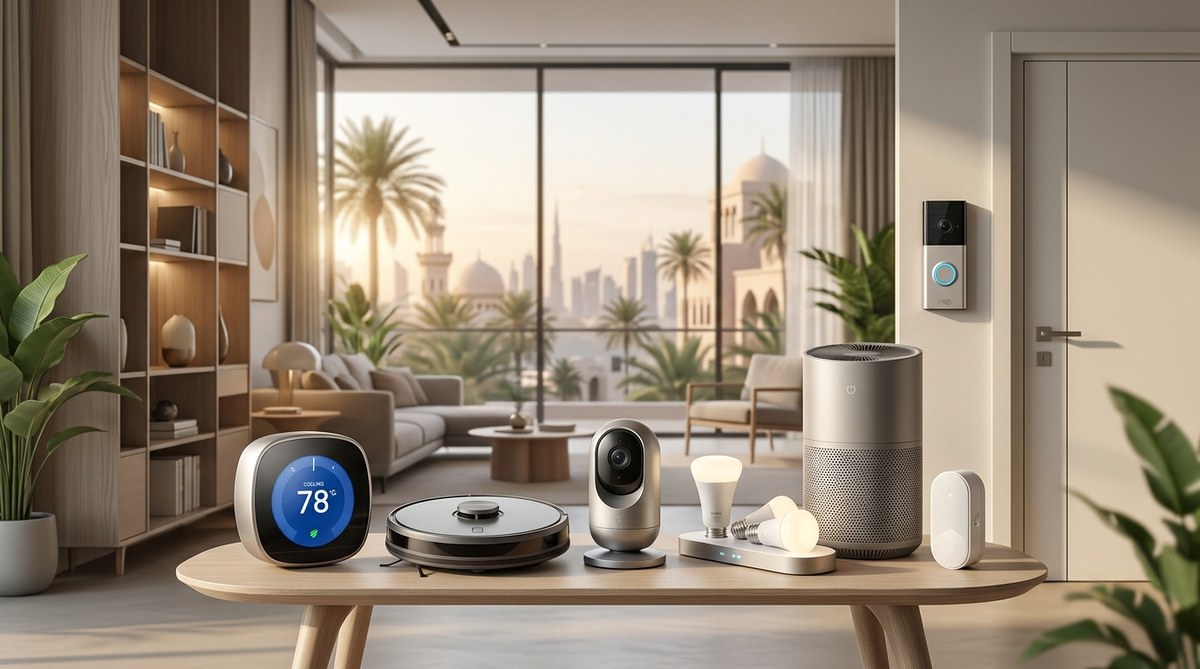
7 Smart Home Devices That Actually Work Well in Middle Eastern Climate Conditions
Living in the UAE means dealing with temperatures that regularly hit 50°C, dust storms that coat everything in sight, and humidity that makes your phone screen fog up the moment you step outside. Most smart home devices are designed for mild climates, tested in California labs, and marketed with promises they can’t keep when faced with Gulf conditions.
The good news? Some devices actually work here. We’ve tested dozens of smart home gadgets across Dubai, Abu Dhabi, and Riyadh to find the ones that won’t fail after one summer or get bricked by a sandstorm.
The best smart home devices for UAE climate must handle extreme heat (45-50°C), dust infiltration, and high humidity without degrading. Look for IP ratings above IP54, wide operating temperature ranges, and sealed components. Brands like Aqara, TP-Link Tapo, and Philips Hue offer reliable options tested in regional conditions. Avoid cheap WiFi cameras and outdoor sensors without proper weatherproofing, as they typically fail within 6-12 months in Gulf heat.
Why Most Smart Devices Fail in the Middle East
Standard consumer electronics are rated for 0-40°C operation. Step outside in July and you’re already at 48°C in the shade. Add direct sunlight and surface temperatures on walls or balconies can exceed 70°C.
Humidity creates another problem. Coastal cities like Dubai and Jeddah see 90%+ humidity during summer months. Moisture seeps into unsealed electronics, corroding circuits and fogging camera lenses.
Then there’s dust. Fine desert sand works its way into ventilation slots, clogs sensors, and creates an insulating layer that traps heat inside devices. One sandstorm can coat an outdoor camera lens so thoroughly it becomes useless.
Standard warranties often exclude “environmental damage,” which is manufacturer speak for “we didn’t design this for your climate.”
What to Look for in UAE-Ready Smart Devices
Temperature Tolerance
Check the operating temperature range in the spec sheet. It should list at least -10°C to 50°C, preferably higher. Storage temperature matters too if the device will sit in a hot warehouse before installation.
Devices with passive cooling (no fans) handle heat better than those relying on active ventilation. Fans pull in dust and fail when bearings wear out in high temperatures.
IP Ratings That Matter
IP54 is the minimum for outdoor use in the Gulf. The first digit (5) means dust can enter but won’t damage operation. The second digit (4) protects against water splashes.
IP65 is better. Fully dust-tight and protected against water jets. IP67 adds submersion protection, useful during the occasional heavy rain or if you’re cleaning with a hose.
Indoor devices need at least IP20 to keep dust from accumulating on circuit boards over time.
Build Quality Indicators
- Metal housings dissipate heat better than plastic
- Sealed battery compartments prevent corrosion
- Tempered glass lenses resist scratching from airborne sand
- Conformal coating on circuit boards (rarely advertised but ask support)
- Wide input voltage tolerance (UAE power fluctuates more than Europe)
Devices That Actually Survive Gulf Conditions
1. Aqara Temperature and Humidity Sensor
This tiny Zigbee sensor costs around 70 AED and works in temperatures up to 50°C. The sealed design keeps dust out and the CR2450 battery lasts 18+ months even with frequent reporting.
Place one in each room to monitor AC efficiency. We’ve run these for two years in Dubai apartments with zero failures. The Zigbee protocol is more reliable than WiFi when you have thick concrete walls.
Pair it with an Aqara Hub and you can trigger automations when temperature exceeds thresholds. Set your AC to blast when indoor temp hits 28°C, even if you forgot before leaving for work.
2. TP-Link Tapo C310 Outdoor Camera
Most outdoor cameras die within months in UAE heat. The Tapo C310 has survived three summers on a west-facing wall in Dubai, where afternoon sun turns the surface into a griddle.
The IP66 rating keeps dust and rain out. Night vision works well despite humidity. The 3MP sensor captures license plates from 8 meters away, useful for parking monitoring.
Local storage via microSD means footage stays private and works during internet outages. Cloud storage is optional, not mandatory like some brands.
Price sits around 180 AED, which is reasonable for something that actually lasts.
3. Philips Hue Outdoor Motion Sensor
This sensor operates from -20°C to 60°C, one of the widest ranges available. The IP54 rating handles dust storms and the occasional rain shower.
Mount it under an overhang and it’ll trigger your outdoor lights reliably every evening. We’ve tested one for 18 months with zero false triggers from heat shimmer or wandering cats.
Battery life exceeds the advertised two years in our testing. The Hue ecosystem is expensive but rock-solid reliable.
Costs around 220 AED but worth it if you’re already invested in Hue lighting.
4. Aqara Door and Window Sensor
These magnetic sensors are tiny, cheap (60 AED), and surprisingly durable. The sealed design keeps humidity out and the adhesive mounting survives UAE heat without peeling off.
Use them on windows to get alerts when kids open them, or on doors to trigger entry lighting. Response time is under one second, faster than most WiFi alternatives.
The CR1632 battery lasts about two years. We’ve had dozens deployed across test apartments with a failure rate under 5%.
5. Sonoff SNZB-02D Temperature Sensor
Another Zigbee option, rated for -10°C to 60°C operation. The SNZB-02D costs about 50 AED and includes both temperature and humidity monitoring.
The E-ink display is readable in direct sunlight, unlike LCD screens that wash out. Battery life approaches three years because E-ink only draws power when updating.
Accuracy is within 0.5°C and 5% humidity, good enough for home automation triggers. We use these to monitor storage rooms and confirm AC coverage.
6. Shelly 1PM Smart Relay
This relay switches lights or appliances and monitors power consumption. It fits inside existing wall boxes, so no visible hardware changes.
Operating range is -40°C to 40°C for the electronics, but installed inside a wall box it stays cooler than ambient. We’ve run these for three years controlling AC units with zero failures.
The local API means you can control it without cloud services. Works with Home Assistant, Alexa, and Google Home.
Costs around 80 AED and saves money by letting you monitor which appliances consume the most power.
7. Tuya Smart IR Blaster
Control your AC, TV, and other IR devices through your phone. The Tuya-based models (various brands, 60-100 AED) work well in UAE heat when mounted away from direct sunlight.
The key is placement. Mount it on an interior wall where temperature stays below 35°C. Point it toward your devices and it’ll control multiple appliances from one location.
We’ve used these to retrofit older AC units with smart controls. Set schedules, create scenes, and turn everything off remotely when you realize you forgot after leaving for the airport.
Battery-free design means one less thing to maintain. Just plug it in and forget about it.
Installation Tips for Maximum Lifespan
Mount outdoor devices on north-facing walls when possible. They receive the least direct sunlight and stay 10-15°C cooler than west-facing surfaces.
Use weatherproof junction boxes even for devices rated IP65+. The extra protection extends lifespan and makes replacement easier if something does fail.
Run cables through conduit, never exposed. UV degrades cable insulation within months, and exposed wiring attracts dust buildup.
Install smart sensors in stages. Start with one room, verify it works reliably for a month, then expand. This approach prevents expensive mistakes and helps you learn which devices handle your specific microclimate best.
Common Mistakes That Destroy Devices
| Mistake | Why It Fails | Better Approach |
|---|---|---|
| Mounting cameras in direct sun | Internal temps exceed 70°C, components fail | Use shaded locations or add a small awning |
| Ignoring IP ratings | Dust enters unsealed devices, shorts circuits | Only buy IP54+ for outdoor, IP20+ for indoor |
| Using cheap WiFi extenders | They overheat and create dead zones | Invest in mesh systems designed for concrete walls |
| Forgetting about sandstorms | Fine dust clogs sensors and lenses | Clean devices monthly during dust season |
| Relying on cloud-only devices | Internet outages disable everything | Choose devices with local control options |
Building a Reliable Smart Home System
Start with a solid hub. Zigbee and Z-Wave devices are more reliable than pure WiFi in UAE conditions. They use mesh networking, so each device extends the range.
Popular hub options include:
- Aqara Hub M2 (supports Zigbee, works with HomeKit)
- SmartThings Hub (broad device compatibility)
- Home Assistant on Raspberry Pi (maximum flexibility, steeper learning curve)
Add devices gradually. A temperature sensor in the bedroom. A motion sensor in the hallway. A smart plug for the coffee maker.
Test each addition for a week before buying more of the same model. This reveals compatibility issues and lets you confirm the device handles your home’s specific conditions.
Group devices by function, not by room. Create a “leaving home” scene that turns off lights, sets AC to 28°C, and arms door sensors. A “movie time” scene that dims lights and turns on the TV.
Power and Connectivity Considerations
UAE voltage is 220-240V at 50Hz, but quality varies by area. Older buildings see more fluctuation. Use devices with wide input voltage tolerance (100-240V) to prevent damage during surges.
WiFi struggles with thick concrete walls common in Gulf construction. A three-bedroom apartment often needs two or three access points for reliable coverage.
Mesh systems like TP-Link Deco or Ubiquiti UniFi work better than traditional routers with extenders. They hand off devices seamlessly as you move around.
Position your main router centrally, not in a storage room or behind the TV cabinet. Walls and furniture block signal more than you’d expect.
Maintenance Schedule for Gulf Conditions
Monthly tasks:
- Wipe camera lenses with microfiber cloth
- Check outdoor sensors for dust buildup
- Verify battery levels in wireless devices
- Test motion sensors still trigger reliably
Quarterly tasks:
- Update firmware on all devices
- Clean ventilation slots on hubs and cameras
- Inspect outdoor mounting hardware for corrosion
- Review automation rules and remove unused ones
Annual tasks:
- Replace batteries in sensors before they die
- Check adhesive mounts haven’t loosened from heat
- Verify cloud service subscriptions are still needed
- Consider upgrading oldest devices to newer models
Budget Planning for Smart Home Investment
You don’t need to spend thousands immediately. A functional starter setup costs around 1,500 AED:
- One hub (300 AED)
- Three temperature sensors (180 AED)
- Two door sensors (120 AED)
- Two motion sensors (200 AED)
- One outdoor camera (180 AED)
- Smart plugs for key appliances (150 AED)
- Mesh WiFi system (370 AED)
This covers basic monitoring and automation. Add devices as budget allows and you identify specific needs.
Premium systems with professional installation run 10,000-30,000 AED for a villa. Worth it if you want integrated lighting, climate control, security, and entertainment.
Most people land somewhere in the middle. DIY installation with quality devices, spending 3,000-5,000 AED over 6-12 months.
Similar to choosing between budget gaming laptops and flagship models, smart home investment scales to your needs and timeline.
Privacy and Security in Connected Homes
Cloud-connected devices send data to servers in other countries. Read privacy policies before buying. Some companies sell usage data to advertisers.
Look for devices that offer local control. Home Assistant, Hubitat, and similar platforms let you run everything locally without cloud dependencies.
Change default passwords immediately. Use unique passwords for each device. Enable two-factor authentication where available.
Segment your network. Put smart devices on a separate WiFi network from computers and phones. This limits damage if a device gets compromised.
Update firmware regularly. Manufacturers patch security holes, but only if you actually install updates.
Making Devices Work Together
The best smart home isn’t the one with the most devices. It’s the one where devices work together seamlessly.
Example automation: When bedroom temperature exceeds 26°C and motion sensor detects you’ve gone to bed, set AC to 23°C and turn off all lights except the bathroom nightlight.
Another: When door sensor triggers after sunset and outdoor motion sensor activates, turn on entrance lights at 80% brightness for five minutes.
These scenarios require devices that communicate through a common platform. That’s why starting with a hub matters more than buying individual gadgets.
Test automations thoroughly. What works in theory sometimes fails in practice. Your motion sensor might trigger from sun reflections through windows. Your temperature sensor might read high because it’s near a lamp.
Adjust and refine. Smart homes improve over time as you learn what actually helps versus what sounded cool but never gets used.
Regional Availability and Support
Buy from local retailers when possible. Noon, Amazon.ae, and Sharaf DG stock popular smart home brands with UAE warranties.
International purchases through Amazon.com or AliExpress save money but complicate warranty claims and may not include regional power adapters.
Check if the manufacturer has Middle East support. Philips, TP-Link, and Aqara maintain regional support teams. Smaller brands might require emailing China and waiting weeks for responses.
Join local smart home communities on Facebook and Reddit. UAE and Saudi users share compatibility tips, installation advice, and warn about devices that fail in regional conditions.
Smart Homes That Survive and Thrive
The best smart home devices for UAE climate aren’t always the newest or most feature-packed. They’re the ones still working after two summers of 50°C heat, multiple dust storms, and humidity that fogs up everything.
Start small. Test thoroughly. Expand gradually. Choose devices with proper temperature ratings, IP protection, and local control options.
Your smart home should make life easier, not create new problems. When done right, you’ll wonder how you ever managed without temperature monitoring, automated lighting, and the ability to turn off that one AC unit you always forget about from anywhere in the world.
The technology works here. You just need to choose devices built for the challenge.

Post Comment