Cybersecurity Tips for Staying Safe on Public Wi-Fi Across the UAE
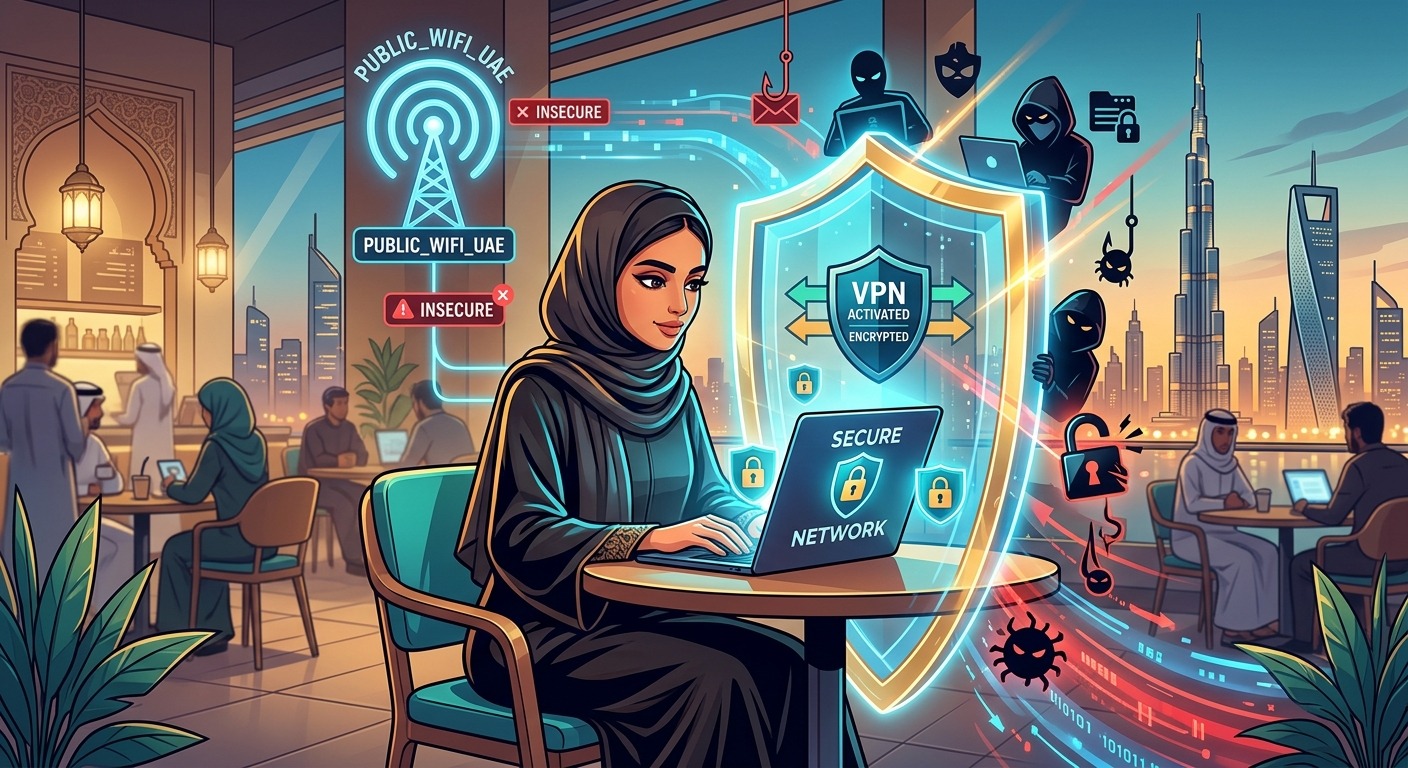
You are sitting at a café in Dubai Marina, cold brew in hand, catching up on emails before a meeting. The free Wi-Fi connects in seconds. It is fast, it is free, and it feels completely normal. The problem is that the person two tables away might be running a packet sniffer on their laptop, watching every unencrypted piece of data leave your device. Public networks across the UAE, from the terminals of Abu Dhabi International Airport to the polished corridors of Dubai Mall, are among the most convenient in the world. They are also among the most targeted.
Network Safety at a Glance
Public Wi-Fi in the UAE is fast and widespread, but unencrypted connections can expose your passwords, messages, and browsing habits to anyone sharing the same network. A handful of targeted habits, including using a VPN, disabling auto-connect, and switching to mobile data for sensitive tasks, address the vast majority of real-world threats. This article walks through each of those habits in plain language, shaped around how people across the UAE actually use public networks every day.
The Reality of Open Networks in a Connected Country
The UAE ranks among the most digitally connected nations in the world. High-speed public Wi-Fi is standard at airports, shopping malls, hotels, government service centres, and metro stations across the country. That infrastructure is genuinely useful and widely appreciated. But the same quality that makes these networks attractive to residents and visitors also makes them attractive to people with less honest intentions.
Open networks, meaning those that require no password to join, do not encrypt the data passing between your device and the router. Anyone on the same network with the right tools can intercept that traffic. Password-protected public networks are only marginally better. The password is identical for every user, which means the encryption offered is considerably weaker than what you get at home on a private connection.
What Attackers Can Actually See on Shared Networks
The term “man-in-the-middle attack” gets thrown around a lot in cybersecurity circles, but in practice it describes something fairly straightforward. A person on your network positions their device to intercept traffic flowing between you and the internet. They do not need physical access to your phone or laptop. Free tools capable of running this kind of interception are widely available online.
What they can see depends on how the site you are visiting handles encryption. Sites that use HTTPS properly scramble the content of your connection, rendering intercepted data unreadable. But sites using plain HTTP, or those with weak security implementations, can leak credentials, form data, and session tokens. Not every website or app handles this correctly, which is exactly why the network layer itself matters.
Device Settings That Protect You Before You Even Connect
Your device’s default settings are not optimised for public network safety. They are optimised for convenience. Adjusting a few things before you sit down at a café in JBR or settle into an airport lounge can make a meaningful difference.
The most important step is disabling Wi-Fi auto-connect on every device you carry. With this feature active, your device scans for networks it has connected to before and joins them automatically. If an attacker broadcasts a network with the same name as one you used months ago, your device joins it without asking. On an iPhone, go to Settings, then Wi-Fi, tap the network name, and turn off Auto-Join. On Android, look under Saved Networks. On Windows, the option lives within the Wi-Fi network properties panel.
Also keep Bluetooth switched off when you are not actively using it. In crowded environments like malls or transit hubs, certain attacks exploit open Bluetooth connections to track location or attempt data access. Switching it off costs nothing and removes a genuine avenue of exposure.
How to Tell If a Wi-Fi Network Name Looks Legitimate
Attackers sometimes create rogue hotspots with names designed to look official. At Abu Dhabi International Airport, you might see three different network names all claiming to be the airport’s connection. At Dubai Mall, multiple networks may appear with nearly identical branding. Without a reference point, it is genuinely difficult to tell which is real.
If you are unsure whether a network name looks suspicious, which VPN protocol suits your device best, or how to check your current security settings, you do not need to wade through dense technical forums to get clarity. You can ask AI in plain language. Describe the network names you see, ask whether any look suspicious for that specific venue, or ask what to check before connecting. You get a clear, jargon-free answer in seconds.
A practical general rule: if a network name is slightly misspelled, oddly formatted, or lacks the visual consistency you would expect from a large venue, treat it with caution. Legitimate venue networks usually match what appears on in-store signage or the venue’s own website. When in doubt, ask a staff member directly before connecting.
VPNs and Why the Right One Matters in the UAE
A Virtual Private Network encrypts all traffic leaving your device before it reaches the Wi-Fi router. Even if someone on the same network intercepts your connection, all they see is scrambled data. For anyone who uses public Wi-Fi regularly across the UAE, a VPN is the most effective single layer of protection available.
The protocol your VPN uses matters more than most people realise. WireGuard is the modern standard: fast, lean, and built with current security thinking baked in. OpenVPN is older but well-audited and trusted across the industry. IKEv2/IPSec works particularly well on mobile because it handles switching between Wi-Fi and mobile data without dropping the connection, which is useful in large venues where your phone moves between coverage zones. Avoid PPTP entirely. Its encryption has known weaknesses and it has not kept pace with current security requirements.
The UAE does regulate VPN usage, particularly for bypassing licensed content or services. Using a VPN strictly to protect your personal data on a public network is a different matter from circumventing regional restrictions. Stay within local legal guidelines and check with your VPN provider if you have specific compliance questions about usage in the UAE.
Sensitive Tasks Should Wait for a Private Connection
Some actions simply carry too much risk on public Wi-Fi, regardless of how well the network appears to be managed. Online banking and financial transactions should wait until you are on a private home network or mobile data. Any form requiring your Emirates ID, passport details, or banking credentials deserves the same treatment.
UAE residents have a strong and consistent alternative. Coverage from e& (formerly Etisalat) and du is reliable across virtually the entire country. Switching your phone to 4G or 5G data for a bank transfer or a sensitive form submission, then returning to the café Wi-Fi for general browsing, takes roughly five seconds. Mobile data is encrypted at the network level in a way that open public Wi-Fi is not.
For work-related tasks, use a company-provided VPN whenever you access internal systems, client files, or business email from any public network. Accessing those resources without a VPN over an open connection puts more than your own data at risk.
Keeping Up With Cybersecurity Guidance in the Region
Threats shift over time. Advice that was accurate two years ago may not account for current attack methods, newly identified vulnerabilities, or region-specific risks. The UAE government regularly publishes updated cybersecurity advisories for both individuals and organisations, covering emerging threats and current recommended practices for residents across the country. Following those updates means your habits reflect the actual threat landscape rather than outdated assumptions.
This matters particularly for UAE residents because the regional threat profile includes some specific risks. These range from targeted phishing that exploits local events and public holidays to fake hotspots built to mimic venue names that GCC residents would immediately recognise as familiar. Generic global cybersecurity advice does not always account for these patterns.
Your Cyber Hygiene Routine for UAE Public Spaces
Turning these habits into routine is the actual goal. The settings and choices described throughout this article are not one-time fixes. They are practices that protect you consistently at Dubai International, the Abu Dhabi Corniche, a Starbucks in Business Bay, or any other high-connectivity venue you move through regularly. Here is a plain checklist to work from:
- Disable Wi-Fi auto-connect on every device you carry, including tablets and laptops, not just your phone
- Check the official network name through venue signage, staff, or the venue’s website before connecting anywhere new
- Connect through a VPN using WireGuard, OpenVPN, or IKEv2 every time you use a public network
- Switch to 4G or 5G mobile data for banking, payments, and any form that requires personal identification details
- Confirm that any site you submit data to shows HTTPS in the address bar, not just HTTP
- Turn Bluetooth off in crowded public spaces unless you are actively using a paired device
- Keep your operating system updated consistently, since patches directly address the vulnerabilities attackers exploit
- Log out of accounts fully when you are finished, rather than closing the browser tab and assuming the session has ended
None of this requires a technical background. Most of it takes a few minutes to configure and then operates quietly in the background. The UAE offers some of the best public connectivity infrastructure in the world, and that infrastructure is genuinely worth using. With these habits in place, you get all of that convenience without handing your data to whoever happens to be sharing the same router.




Post Comment