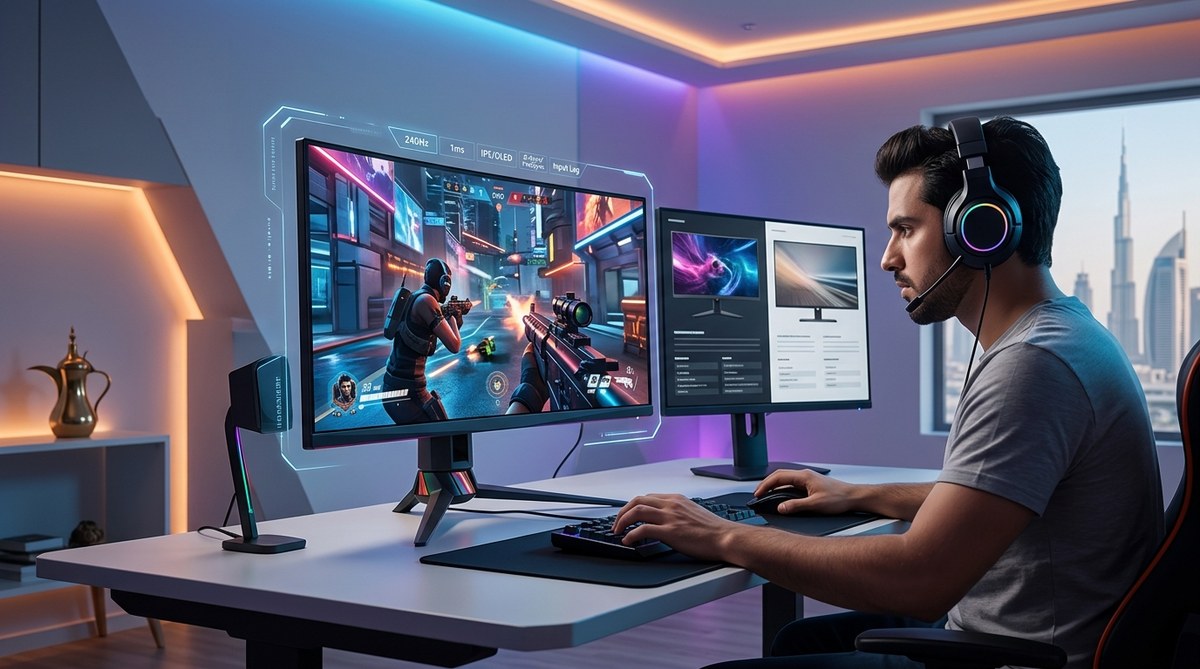
How to Choose the Best Gaming Monitor for Competitive Play in the Middle East
You are grinding in Valorant or Apex Legends. Your aim is crisp. Your game sense is sharp. But you keep losing gunfights you should win. The problem might not be your skill. It is probably your monitor. In competitive play, every millisecond counts. A slow panel or a low refresh rate can turn a winning peek into a death screen. For gamers in the Middle East, finding the right screen involves more than just picking a popular model. You have to consider local availability, voltage standards, and how the intense heat affects performance. This guide will help you choose the best gaming monitor for competitive play Middle East in 2026 without wasting money on features you do not need.
To win in competitive FPS and esports titles, prioritize a 144Hz or higher refresh rate, a 1ms response time, and a low input lag panel. For Middle Eastern buyers, check that the monitor supports 220-240V input natively and has adequate cooling for extended sessions in warmer room temperatures. IPS panels offer the best balance of speed and color accuracy for most players, while TN panels remain the choice for absolute minimum response time.
Why Refresh Rate Matters More Than Resolution
Many gamers get distracted by 4K marketing. For competitive play, resolution is secondary. Refresh rate is the king. This number, measured in Hertz (Hz), tells you how many times your screen updates per second. A standard 60Hz monitor shows 60 frames per second. A 144Hz monitor shows 144 frames per second. The difference is massive.
In a game like CS2 or Rainbow Six Siege, a 144Hz panel lets you see enemy movements smoothly. You can track targets without that blurry smear effect. Going up to 240Hz or even 360Hz gives you an edge in reaction time. Pros often use 360Hz monitors because they reduce ghosting to almost zero.
For the best gaming monitor for competitive play Middle East, aim for at least 144Hz. If your budget allows, 240Hz is the sweet spot for 2026. Do not waste money on a 4K 60Hz monitor for esports. You want high frame rates, not high pixel counts.
Response Time and Input Lag: The Real Numbers
Response time and input lag are two different things. Response time is how fast a pixel changes from one color to another. Input lag is the delay between you clicking your mouse and seeing the action on screen.
Look for a monitor with a 1ms response time (Gray to Gray). This minimizes motion blur. For input lag, anything under 10ms is excellent for competitive gaming. Many modern monitors with fast refresh rates achieve this.
Here is a simple comparison table to help you understand the tradeoffs:
| Panel Type | Response Time | Color Accuracy | Viewing Angles | Best For |
|---|---|---|---|---|
| TN | 0.5ms – 1ms | Poor | Narrow | Pure competitive FPS |
| IPS | 1ms – 4ms | Excellent | Wide | All-round gaming |
| VA | 1ms – 4ms | Good | Wide | High contrast, slower games |
For most players in the Middle East, an IPS panel is the right choice. It gives you fast response times and great colors for other games or media. TN panels are still used by some pros, but the color quality is poor. You do not need to sacrifice image quality for speed anymore.
Voltage and Power Considerations in the Middle East
This is a huge factor that many global reviews ignore. The Middle East uses 220-240V power at 50Hz. Some monitors sold internationally are designed for 110V markets like the US. If you plug a 110V-only monitor into a 220V socket without a converter, you will fry the power supply.
Always check the label on the power brick or the monitor specifications. Look for “100-240V” input. Most modern gaming monitors are universal voltage, but you must verify. Brands like ASUS, BenQ, and Dell usually include universal power supplies. Cheaper or imported models might not.
Also, consider the heat. Your gaming room in Dubai or Riyadh might be warmer than average, even with AC. Monitors generate heat. Look for models with good ventilation and avoid placing them near direct sunlight or AC vents that blow hot air. Overheating can cause screen flickering or permanent damage over time.
Regional Pricing and Availability in 2026
Prices in the UAE and Saudi Arabia fluctuate based on shipping costs and import duties. The best gaming monitor for competitive play Middle East is not always the most expensive one. It is the one you can actually buy locally with a valid warranty.
Check retailers like Amazon.ae, Noon.com, Jarir Bookstore, and Sharaf DG. These stores often have exclusive regional models. A popular model in 2026 is the ASUS ROG Swift PG27AQN. It offers 360Hz, 1ms response time, and G-Sync support. It is available in GCC markets but costs around 3,500 AED. A more budget-friendly option is the BenQ ZOWIE XL2546K. This is a 240Hz TN panel designed specifically for esports. It is widely available in the Middle East and costs around 1,800 AED.
For a detailed comparison of gaming hardware, check out our guide on best gaming setups used by top MENA esports champions.
How to Choose the Right Size and Resolution
For competitive gaming, 24 to 27 inches is the ideal size. A 24-inch screen is easier to see entirely without moving your head. This is why many CS2 pros use 24-inch monitors. A 27-inch screen gives you more immersion but requires slightly more eye movement.
Resolution should be 1080p or 1440p. Do not go 4K for competitive play. You want high frame rates, and 4K demands too much GPU power to push 240+ fps. 1080p is still the standard for esports. 1440p is a good middle ground if you also play single-player games.
- Determine your budget. Set a hard limit before you start browsing.
- Choose your refresh rate. 144Hz minimum, 240Hz ideal, 360Hz for pros.
- Select panel type. IPS for most people, TN only if you are a pure competitor.
- Check voltage. Confirm 100-240V input on the power supply.
- Verify local warranty. Buy from an authorized regional retailer.
Connectivity and Adaptive Sync
You need the right ports. DisplayPort 1.4 is the standard for high refresh rates at 1440p. HDMI 2.1 is great for consoles like PS5 or Xbox Series X, but for PC gaming, DisplayPort is better. Make sure your monitor has at least one DisplayPort input.
Adaptive sync technologies like G-Sync (NVIDIA) and FreeSync (AMD) eliminate screen tearing. If you have an NVIDIA GPU, look for G-Sync compatibility. If you have an AMD GPU, FreeSync is the way. Many monitors now support both. This is a nice feature, but not essential for competitive play. Some pros turn it off to reduce input lag further.
“For competitive FPS, I always recommend turning off V-Sync and adaptive sync. The slight tearing is less distracting than the input lag they add. Focus on raw refresh rate and response time instead.” — Regional esports coach based in Riyadh.
Common Mistakes to Avoid
Many first-time buyers make errors that cost them performance. Here is a bulleted list of pitfalls to watch out for:
- Buying a 4K monitor for competitive gaming. You will struggle to hit high frame rates.
- Ignoring the stand. A wobbly or non-adjustable stand is terrible for long sessions.
- Forgetting about the OSD (On-Screen Display). You want easy access to settings like Black Equalizer and crosshairs.
- Buying a monitor without reading reviews specific to input lag. Some monitors look good on paper but have high processing delay.
- Not accounting for your room’s ambient temperature. A monitor that runs hot will throttle or fail faster.
For more advice on building a complete rig, read our article on the ultimate guide to building a gaming setup in the GCC under 5,000 AED.
Putting It All Together for Your Next Purchase
Choosing the best gaming monitor for competitive play Middle East comes down to matching your priorities with local realities. Do not get seduced by specs you cannot use. A 360Hz monitor is wasted if your GPU cannot push 360 frames per second in your main game. A 4K monitor is wasted if you only play Valorant.
Focus on the core specs: high refresh rate, low response time, and low input lag. Then filter by what is available in UAE and Saudi stores with a proper warranty. Check the voltage. Consider the heat. And always test the monitor’s performance in your own setup if possible.
The right monitor will make you a better player. You will react faster. You will track targets more smoothly. You will win more rounds. That is the real prize.
Your Next Step Toward Competitive Dominance
Now you know what to look for. Start by checking your current GPU. See what frame rates it can achieve in your favorite esports title. Then pick a monitor with a refresh rate that matches or slightly exceeds that number. Do not overpay for features you will not use. Visit a local store like Sharaf DG or Virgin Megastore to see the panels in person. Motion clarity is hard to judge from online videos. Once you have your new screen, dial in the settings. Turn off motion blur in-game. Set your brightness to a comfortable level. And then jump into a match. You will feel the difference immediately. Your reaction time will improve. Your rank will follow. Happy fragging.

Post Comment