Gaming Monitors vs. OLED TVs: What Middle Eastern Gamers Should Actually Buy in 2026
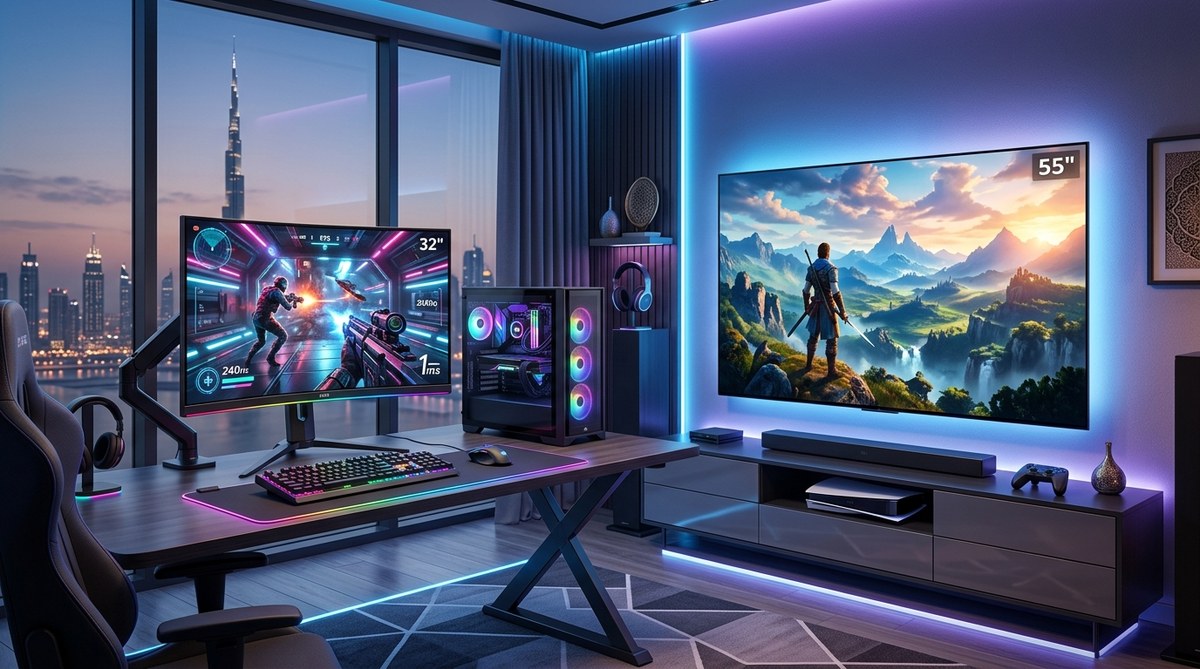
The debate between a high-end gaming monitor and an OLED TV has never been more confusing for gamers in the Middle East. Both options offer stunning visuals, but the right choice depends on where you live, what you play, and how your room handles the heat. A monitor built for competitive shooters might struggle with the cinematic immersion of a TV, while a 65-inch OLED could feel sluggish if you play ranked Valorant. Local factors like summer temperatures, regional pricing, and warranty support tip the scales in ways most global reviews ignore.
For competitive PC gamers in the Middle East, a 27-inch 1440p high-refresh-rate monitor remains the best choice due to lower input lag and better heat management. Console players and those who prioritize cinematic single-player games will benefit more from a 55-inch or larger OLED TV, but only if they invest in proper room cooling and check the regional warranty covers burn-in. Always verify the local distributor before buying.
Why the Middle East Changes the Display Equation
Most online reviews assume you live in a temperate climate. That assumption falls apart when your gaming room hits 35 degrees Celsius even with the AC running. Heat affects both monitors and OLED TVs, but not in the same way.
OLED panels are organic light-emitting diodes. They produce their own light per pixel, which means no backlight bleed and perfect blacks. That technology is sensitive to high ambient temperatures. Sustained heat can accelerate pixel degradation and increase the risk of permanent burn-in, especially if you leave static HUD elements on screen for hours. In Dubai or Riyadh, where summer room temperatures can climb quickly, this is a real concern.
Gaming monitors, particularly those using IPS or VA panels with LED backlighting, handle heat much better. They generate less heat themselves and their cooling systems are simpler. A monitor running in a warm room will generally maintain consistent performance longer than an OLED TV under the same conditions.
Input Lag and Response Times for Competitive Play
This is where monitors still hold a clear edge, even in 2026. The fastest OLED TVs have improved dramatically. Many now offer 120Hz or 144Hz refresh rates with HDMI 2.1 support. But they still introduce more processing lag than a dedicated gaming monitor.
Here is a breakdown of typical input lag figures you can expect:
| Display Type | Typical Input Lag (1080p/1440p) | Best Use Case |
|---|---|---|
| 1440p 240Hz Gaming Monitor | 1ms to 3ms | Competitive FPS, Esports |
| 4K 144Hz Gaming Monitor | 2ms to 5ms | High-end PC gaming |
| 55-inch OLED TV (120Hz) | 5ms to 10ms | Console gaming, single-player |
| 65-inch OLED TV (60Hz) | 10ms to 15ms | Casual console, movies |
The difference between 3ms and 10ms might sound small, but in a game like Counter-Strike 2 or Valorant, that gap can feel noticeable. If you play ranked matches or compete in local tournaments, a monitor is still the safer bet.
Size, Immersion, and the Living Room Factor
OLED TVs win on pure spectacle. A 65-inch LG C4 or Samsung S95D in a dimly lit room creates a cinematic experience that no 27-inch monitor can match. For single-player games like Cyberpunk 2077, God of War Ragnarok, or the upcoming GTA 6, the immersion is unmatched.
But size brings its own challenges in Middle Eastern apartments and villas. Many living rooms have large windows that let in direct sunlight. An OLED TV in a bright room loses its main advantage: perfect blacks. Glare becomes a problem. You might need blackout curtains or a specific seating arrangement to get the full effect.
Monitors, especially matte-finish ones, handle ambient light much better. If your gaming setup is in a multi-purpose room where you cannot control lighting perfectly, a monitor will look more consistent throughout the day.
Pricing and Warranty in the GCC Market
This is the part where many global reviews steer you wrong. In the United States, OLED TVs have become very affordable. A 55-inch OLED can cost less than a high-end 27-inch monitor. But in the UAE, Saudi Arabia, and Qatar, the pricing structure is different.
OLED TVs in the region often carry a premium of 15 to 30 percent compared to US prices. Monitors are closer to global pricing because the market for PC gaming peripherals is more competitive. Local retailers like Amazon AE, Noon, Jarir Bookstore, and Microless frequently run deals on gaming monitors during Yellow Friday and Ramadan sales.
Warranty is another critical factor. OLED burn-in is not always covered by standard warranties in the Middle East. Some brands offer specific burn-in protection plans in the US and Europe but do not extend them to the GCC. Before buying any OLED TV for gaming, confirm with the local distributor whether burn-in is included. If it is not, you are taking a financial risk.
Monitors rarely suffer from burn-in. Even high-end gaming monitors with IPS panels do not have this issue. The warranty process is also simpler because monitors are more standardized products.
How to Decide: A Practical Process
Follow these steps to make the right choice for your situation.
- Identify your primary games. If you mostly play competitive shooters like Valorant, Overwatch 2, or Rainbow Six Siege, lean toward a monitor. If you play story-driven games on a console, an OLED TV makes more sense.
- Check your room temperature. If your gaming space gets hot despite AC, avoid OLED. If you have a dedicated air-conditioned room, OLED is viable.
- Measure your viewing distance. Sitting closer than three feet? Get a monitor. Sitting six to eight feet away? A 55-inch or 65-inch TV works better.
- Verify the warranty. Call or email the local distributor. Ask specifically about burn-in coverage. Get the answer in writing.
- Compare prices during sales. Wait for Ramadan, Yellow Friday, or Dubai Shopping Festival. Monitors often see steeper discounts in the region.
What the Experts Say
“In the Middle East, I always tell gamers to prioritize cooling and warranty over raw specs. A monitor that runs cool and has a solid local warranty will serve you better than a TV that burns in after one summer. If you must go OLED, buy from a retailer that offers an extended burn-in protection plan, and never leave it on a static menu screen for more than 30 minutes.” — Ahmed Al Mansouri, hardware reviewer at TBreak.ae
Burn-in Risk and Daily Usage Habits
Burn-in is not inevitable, but your habits matter. If you play the same game for six hours every day and that game has a bright, static HUD, an OLED TV will show wear faster. This is especially true in warm climates.
Here are some tips to reduce burn-in risk:
- Lower the OLED brightness to around 70 percent for daily use.
- Enable pixel shift and logo dimming features in the TV settings.
- Avoid leaving the TV on pause or on a dashboard for long periods.
- Use a screensaver that moves or changes content.
- Keep the room temperature below 25 degrees Celsius if possible.
Monitors do not require any of these precautions. You can leave a static image on screen for hours without any permanent damage.
Connectivity and PC vs Console
If you are a PC gamer, monitors offer better connectivity options. DisplayPort 2.1 is becoming standard on high-end monitors, allowing higher refresh rates at 4K without compression. Most OLED TVs still rely on HDMI 2.1, which is fine for consoles but less ideal for PC gaming at higher frame rates.
Console gamers benefit from OLED TVs because both the PS5 Pro and Xbox Series X support 4K at 120Hz over HDMI 2.1. The larger screen size complements the couch gaming setup that most console players prefer.
For PC gamers in the Middle East who also own a console, a monitor with multiple inputs and a built-in KVM switch can be a smarter buy. You can switch between your PC and console without changing cables. Most OLED TVs lack this feature.
Final Recommendations for 2026
If you are building a dedicated gaming PC setup in a room with good AC, and you play a mix of competitive and single-player games, get a 27-inch 1440p 240Hz monitor. The best gaming laptops under 5000 AED pair well with this kind of display.
If you are a console player or you primarily play cinematic single-player games in a living room, a 55-inch OLED TV is worth the investment. Just make sure your room stays cool and your warranty covers burn-in. Check out our guide on how to build the ultimate home streaming setup for under 2000 AED if you plan to use the TV for more than gaming.
For gamers who want both, consider a dual setup. Use a 27-inch monitor for competitive play and a 48-inch OLED TV for single-player games and movies. This is expensive but gives you the best of both worlds without compromise.
Making Your Final Choice
The decision between a gaming monitor and an OLED TV in the Middle East comes down to three things: your room temperature, your primary game genre, and your warranty coverage. Ignore any review that does not address these factors. The best display for you is the one that survives the summer, matches your playstyle, and comes with a safety net if something goes wrong. Take your time, check the local retailers, and ask the tough questions before you hand over your money. Your setup will thank you when the temperature hits 45 degrees outside and your screen still performs flawlessly.



Post Comment