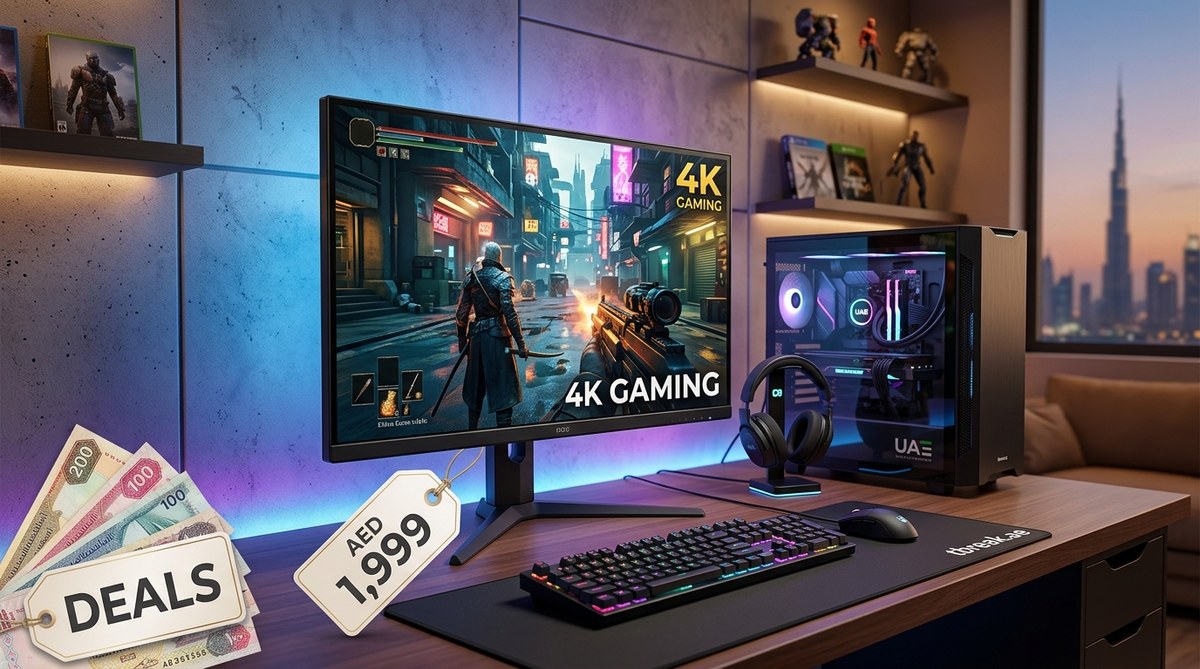
Score a 4K Gaming Monitor for Under AED 2,000: Top UAE Deals This Quarter
Your eyes are ready for 4K, but your wallet isn’t sure it agrees. That tension is real for any gamer in the UAE who has browsed the shelves at Carrefour or scrolled through Amazon.ae and spotted a stunning 32-inch 4K panel only to feel the sting of a price tag well over 2,000 dirhams. The good news is that 2026 has brought a shift. Competition between brands like LG, Samsung, ASUS, and Xiaomi has pushed prices down. You can now find a solid 4K gaming monitor under 2000 AED if you know exactly what to look for and where to look. This guide walks you through the specs that actually matter, the best deals circulating this quarter, and the traps to avoid so you walk away with a monitor that makes your games look incredible without making your bank account sad.
A genuine 4K gaming monitor under 2000 AED is available in the UAE right now if you prioritize the right trade-offs. Focus on a 60Hz to 144Hz refresh rate, IPS or VA panel type, and at least 27 inches of screen real estate. Watch for flash sales on Noon and Amazon, check local retailers like Sharaf DG, and never sacrifice HDMI 2.1 support if you own a PS5 or Xbox Series X. This guide helps you choose confidently without overspending.
What 2000 AED Actually Buys You in 2026
The market for 4K monitors in the UAE has matured. Two years ago, a 2,000 AED budget would only get you a basic 4K office monitor with a 60Hz refresh rate and no HDR to speak of. Today, that same budget can land you a panel with a 144Hz refresh rate, good HDR support, and adaptive sync technologies like FreeSync or G-Sync. The key is knowing where brands cut corners to hit that price point.
Most monitors in this bracket use either IPS or VA panel technology. IPS panels offer better viewing angles and color accuracy, which helps if you also edit photos or watch movies. VA panels provide deeper black levels and higher contrast, which makes dark game scenes in titles like “Cyberpunk 2077” or “Resident Evil” look more immersive. Both are valid choices, but you should pick based on your primary use case.
You will also need to decide on screen size. A 27-inch 4K monitor gives you a high pixel density that makes text and UI elements look razor sharp. A 32-inch panel offers more immersion but can sometimes feel less sharp at close viewing distances. Stick with 27 inches if you sit at a standard desk. Go for 32 inches if your desk is deep or if you plan to use the monitor for console gaming from a couch.
The Features That Matter Most Under 2000 AED
Not all features are created equal when you are shopping on a strict budget. Some specs will improve your gaming experience dramatically. Others are marketing fluff that you can safely ignore.
Refresh Rate and Response Time
A 4K monitor running at 60Hz is fine for single-player story games and strategy titles. But if you play competitive shooters like “Valorant,” “Call of Duty,” or “Apex Legends,” you want at least 120Hz. Many monitors under 2000 AED now offer 144Hz at 4K, which was unheard of just a couple of years ago. Look for a response time of 4ms or lower. Anything above that introduces noticeable ghosting in fast-paced scenes.
HDMI 2.1 Support
This is the biggest differentiator. If you own a PlayStation 5 or Xbox Series X, HDMI 2.1 lets you run 4K at 120Hz without chroma subsampling. Monitors with HDMI 2.1 used to cost well over 3,000 AED, but some budget models now include it. Check the specifications carefully. Some monitors advertise “4K 120Hz” but only support it over DisplayPort, not HDMI. That matters because consoles rely on HDMI.
HDR Performance
True HDR requires high peak brightness and local dimming zones. At this price point, you will not get OLED-level HDR. But you can get monitors that support HDR10 and hit around 400 to 600 nits of peak brightness. That is enough to make highlights pop in games like “Horizon Forbidden West” or “God of War Ragnarok.” Avoid monitors that claim HDR but only reach 300 nits. They will look washed out.
Where to Find the Best UAE Deals This Quarter
Timing your purchase is half the battle. Retailers in the UAE run aggressive promotions during specific periods. Here is where you should be looking right now.
- Amazon.ae: Amazon regularly discounts monitors during the White Friday sales and mid-season promotions. Check the “Today’s Deals” section daily. Some of the best prices on brands like LG and Samsung appear here first.
- Noon.com: Noon’s Yellow Friday and Noon 11.11 sales are legendary for electronics. You can often find monitors from lesser-known brands like XIAOMI or AOC at prices that undercut Amazon by 100 to 200 AED.
- Sharaf DG and Carrefour: Physical retailers sometimes offer bundle deals that online stores do not. You might get a free HDMI cable or a small discount on a gaming chair when you buy a monitor. It is worth visiting a store to see the panel in person before you buy.
- Dubai Stores and Al Ain Centre: For refurbished or open-box units, these places can save you up to 30 percent. Just check the return policy and make sure the monitor has no dead pixels.
If you are considering a full gaming setup upgrade, you might also want to check our guide on best gaming laptops under 5000 aed available in uae and saudi arabia for a complete ecosystem approach.
A Step-by-Step Process for Choosing Your Monitor
Follow these steps to narrow down your options without getting overwhelmed.
- Set your must-have specs. Write down your non-negotiable features. For most gamers, that list includes 4K resolution, at least 27 inches, and a 120Hz refresh rate. Add HDMI 2.1 if you use a console.
- Check three retailers. Search for monitors that match your list on Amazon.ae, Noon.com, and Sharaf DG. Note the prices and any ongoing promotions.
- Read recent UAE-specific reviews. Look for reviews from local tech sites or forums like Reddit’s r/DubaiGaming. These reviews often mention issues with warranty support or heat performance that general reviews miss.
- Compare panel types. Decide between IPS and VA based on your room lighting and preferred game genres. IPS for bright rooms and color work. VA for dark rooms and cinematic games.
- Check the warranty. In the UAE, standard warranties are usually one year. Some brands like ASUS and LG offer two years on select models. A longer warranty is worth paying a small premium for.
- Pull the trigger during a sale. Wait for a major event like White Friday, Ramadan sales, or Dubai Shopping Festival. Set a price alert on CamelCamelCamel for Amazon listings.
Common Mistakes UAE Gamers Make
Even savvy shoppers fall into these traps. Here is a table that lays out the biggest mistakes and how to avoid them.
| Mistake | Why It Hurts | How to Avoid It |
|---|---|---|
| Buying a 4K monitor with only 60Hz for competitive gaming | You will be at a disadvantage in fast-paced shooters. Motion blur will feel distracting. | Look for at least 120Hz. Check the refresh rate in the product title, not just the resolution. |
| Ignoring HDMI version | You plug in your PS5 and only get 4K at 60Hz because the monitor has HDMI 2.0. | Confirm HDMI 2.1 support in the specifications. Read the fine print. |
| Choosing a TN panel for color accuracy | Colors look washed out. Games like “Elden Ring” lose their atmosphere. | Pick IPS or VA. TN panels are only acceptable for esports at very high refresh rates. |
| Forgetting about pixel density at 32 inches | Text and icons look slightly blurry compared to a 27-inch 4K display. | Measure your viewing distance. If you sit closer than 80 cm, go for 27 inches. |
| Buying without checking the return policy | You get a monitor with one dead pixel and the retailer refuses a replacement. | Buy from a store with a clear dead pixel policy. Amazon and Sharaf DG are generally good. |
Expert advice: “I always tell UAE gamers to check the monitor’s brightness rating before anything else. A 4K panel that only hits 250 nits will look dull in a brightly lit Dubai apartment. Aim for 400 nits or higher, and make sure the monitor has a matte screen finish to cut down on glare from your window.” — Ahmed Al Mazrouei, hardware reviewer at TBreak.ae
Understanding the Trade-Offs
No monitor under 2000 AED is perfect. You will have to make some compromises. The table below outlines the most common trade-offs and how they affect your experience.
| Trade-Off | What You Gain | What You Lose |
|---|---|---|
| 60Hz vs 144Hz | Lower price, better color accuracy at 60Hz | Smoothness in motion. 60Hz feels sluggish after you try 144Hz. |
| 27-inch vs 32-inch | Higher pixel density at 27 inches | Immersion and screen real estate at 32 inches |
| IPS vs VA | Better viewing angles and color accuracy with IPS | Deeper blacks and higher contrast with VA |
| Name brand vs budget brand | Better warranty and build quality with LG or ASUS | Lower price and sometimes better specs on paper with AOC or Xiaomi |
| HDR10 vs true HDR | Lower cost and wider availability | You miss out on the full dynamic range of OLED or Mini-LED HDR |
For those curious about how these monitors compare to television alternatives, our comparison of gaming monitors vs oled tvs what middle eastern gamers should actually buy in 2026 offers a deeper analysis.
Three Monitors to Consider Right Now
These models have been tested by the community and consistently appear in deals under 2000 AED.
- LG 27GP95NP: A 27-inch IPS panel with 144Hz, HDMI 2.1, and good HDR10 support. It often drops to around 1,799 AED during sales. The colors are vibrant out of the box, and the build quality feels premium.
- Samsung Odyssey G7 28-inch: This monitor uses a VA panel with a 144Hz refresh rate and excellent contrast. It handles dark scenes beautifully. You can find it for about 1,899 AED on Noon during promotions.
- AOC U28G2X: A budget-friendly option at around 1,599 AED. It offers 4K at 144Hz over DisplayPort and HDMI 2.1. The HDR performance is average, but the value is hard to beat.
If you are also thinking about upgrading your audio, check out our guide on weekend warriors best gaming headset deals under aed 500 available now.
How to Verify You Are Getting a Genuine Deal
UAE shoppers sometimes encounter misleading listings. A monitor might be advertised as “4K 144Hz” but only deliver that performance over DisplayPort, not HDMI. Or the HDR certification might be fake. Here is a checklist to verify before you buy.
- Look for the official VESA DisplayHDR certification. Genuine HDR monitors will list a tier like DisplayHDR 400 or DisplayHDR 600.
- Check the product manual or the manufacturer’s website for the exact HDMI version. Do not rely on the Amazon listing alone.
- Read the Q&A section on the retailer’s page. UAE buyers often ask about compatibility with PS5 or Xbox.
- Search for the model on YouTube with “UAE” or “Dubai” added to the keywords. Local reviewers often test these monitors in conditions similar to yours.
Final Thoughts on Your 4K Upgrade
A 4K gaming monitor under 2000 AED is no longer a fantasy. The 2026 market in the UAE offers real choices that balance resolution, speed, and picture quality. The key is to stay disciplined about your priorities. Decide whether you value high refresh rates for competitive gaming or deep contrast for single-player immersion. Then match that priority to the right panel type and size.
Keep an eye on the sales calendars for Amazon, Noon, and Sharaf DG. Set a price alert and be ready to buy when the deal hits. Your gaming sessions are about to look a whole lot sharper, and you will have around 200 AED left over for a decent mouse pad or a new game. That is a win in any gamer’s book.


Post Comment