How to Securely Use Public Wi-Fi on Your Smartphone in Middle East Airports and Malls
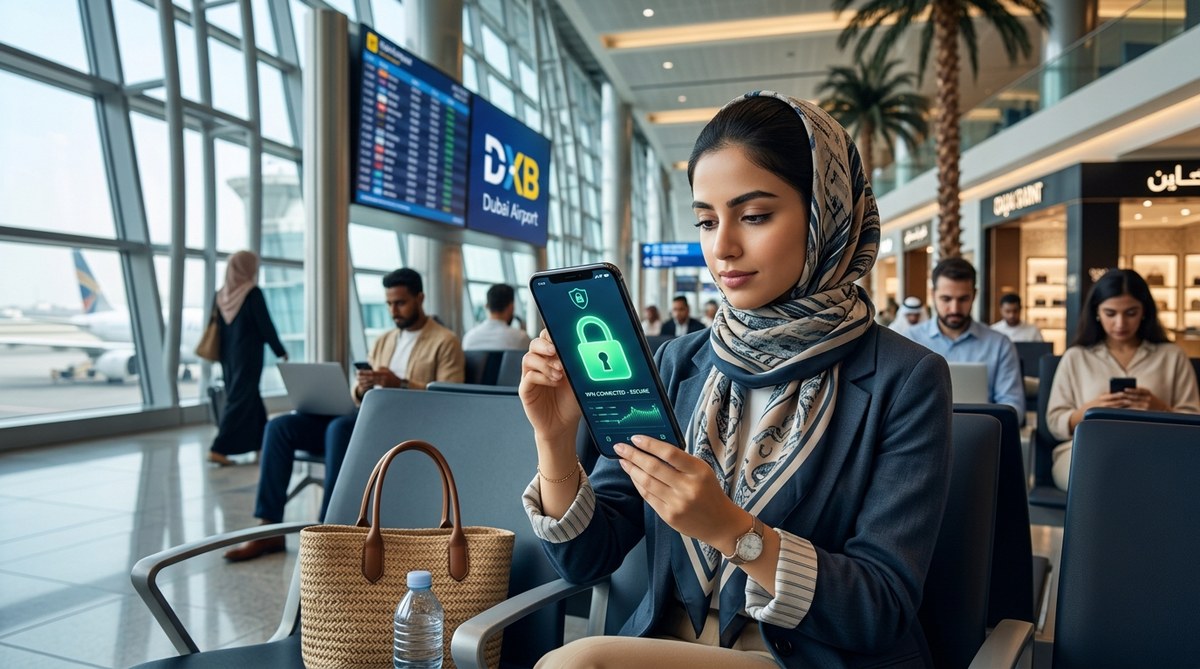
You are standing in the boarding lounge at Dubai International, waiting for your flight to Riyadh. You have 20 minutes to send a few emails, check your bank balance, and maybe scroll through Instagram. The free airport Wi-Fi is tempting. So is the network at the mall you visited earlier. But how safe are these connections? In 2026, the number of cyberattacks targeting public Wi-Fi users in the Middle East has grown significantly. Airports and malls in cities like Dubai, Abu Dhabi, Doha, and Jeddah are prime hunting grounds for hackers. The good news is that with a few simple habits, you can use public Wi-Fi on your smartphone without turning your personal data into a free buffet for cybercriminals.
Public Wi-Fi in Middle East airports and malls is convenient but risky. Use a VPN, verify the network name, disable auto-connect, turn off file sharing, and prefer HTTPS sites. Avoid logging into banking apps or making purchases on unsecured networks. When in doubt, use your mobile data or an eSIM for a safer connection.
Why Public Wi-Fi in Middle East Airports and Malls Needs Extra Care
The convenience of free Wi-Fi is hard to ignore. You land after a long flight, and the first thing you see is a splash page offering free internet. The same happens when you walk into the Dubai Mall or the Mall of the Emirates. But these open networks are often unencrypted. That means anyone with a basic laptop and free software can intercept the data you send and receive.
Hackers set up fake networks with names like "Dubai Airport Free Wi-Fi" or "Mall_WiFi_Guest." When you connect, they can capture your passwords, read your messages, or even install malware on your phone. The Middle East, with its high concentration of business travelers and tourists, is a hotspot for these attacks. In 2026, regional cybersecurity agencies have reported a rise in "evil twin" attacks where a rogue access point mimics a legitimate one.
Common Threats You Might Face
- Man-in-the-Middle Attacks: The hacker sits between your phone and the internet, reading everything you send.
- Packet Sniffing: Unencrypted data packets are captured and analyzed for valuable info.
- Malicious Hotspots: A fake network that looks official but is designed to steal your data.
- Session Hijacking: Hackers steal your login cookies to access your accounts.
These threats apply whether you are in a busy terminal like Doha's Hamad International or a luxury mall in Manama. The risks are universal, but the steps to protect yourself are straightforward.
Your Action Plan for Secure Public Wi-Fi
Follow this numbered list every time you need to connect to public Wi-Fi in a Middle East airport or mall. Make it a habit.
- Verify the official network name. Check with airport or mall staff, or look for signs at the service desk. Do not rely on the first name you see in your Wi-Fi list.
- Use a reliable VPN. A VPN encrypts all your traffic, making it unreadable to anyone on the same network. Install one before your trip and keep it on whenever you connect to public Wi-Fi.
- Enable HTTPS everywhere. Most apps and websites now use HTTPS automatically, but you can install a browser extension that forces the encrypted version. This adds an extra layer of protection.
- Turn off file sharing and AirDrop. On your smartphone, disable sharing settings that allow others to see your device. This includes Bluetooth visibility when you are not using it.
- Log out of sensitive accounts after use. If you checked your email or logged into a service, sign out manually. Close the app or browser entirely.
Do not skip any of these steps. Each one closes a door that a hacker could use.
Red Flags: How to Spot a Fake Wi-Fi Network
Not every network is what it seems. Train your eye to catch these warning signs:
- The network name is slightly misspelled (e.g., "Dubai Intl" instead of "Dubai International").
- The network does not require any password or login page at all, even when the official one does.
- You are asked to "install a certificate" or "update your device software" before connecting.
- The landing page asks for excessive personal information such as your passport number or home address.
- You see multiple networks with very similar names, a classic sign of a rogue hotspot setup.
If you spot any of these, do not connect. Use your mobile data instead. Even if you are in a rush, your security is worth the extra few seconds of switching to cellular.
Do's and Don'ts at a Glance
Here is a quick reference table to keep in mind. Print it or save it on your phone before your next trip.
| Action | Safe Practice | Risky Practice |
|---|---|---|
| Network selection | Confirm name with official staff | Connect to any network that appears |
| VPN usage | Always active on public Wi-Fi | No VPN or free/unknown VPN |
| Financial transactions | Use mobile data or wait until private connection | Enter credit card info on open Wi-Fi |
| File sharing | Turn off completely | Leave sharing on |
| App behavior | Log out and clear cookies after each session | Stay logged in for convenience |
| Device updates | Update software before traveling | Click "update now" links on the network page |
Expert Advice on Staying Safe
"The single most effective tool for securing your smartphone on public Wi-Fi is a quality VPN. Do not rely on free VPNs; they often collect your data themselves. Invest in a reputable provider that operates under a no-logs policy. Also, remember that a VPN is not a magic wand. You still need to verify you are on a legitimate network and avoid sensitive transactions when possible."
– Ahmad Al-Rashid, Cybersecurity Consultant, Dubai.
This advice rings especially true in the Middle East, where many airports and malls now offer premium, paid Wi-Fi options. If you have the choice, paying a small fee for the official network often gives you a more secure connection because it authenticates each user.
Extra Layers of Protection for Frequent Travelers
If you fly often or spend a lot of time in shopping centers, consider these upgrades to your security routine.
- Get a secondary eSIM for data. An international data plan from a provider like Airalo or Holafly lets you use mobile data without relying on public Wi-Fi. This is the gold standard for safety. The complete guide to using eSIM technology when traveling between Middle East countries can help you choose the right one.
- Carry a portable hotspot. A personal 4G/5G hotspot gives you a private connection anywhere. Many devices now support global bands, so they work in the UAE, Saudi Arabia, Qatar, and beyond.
- Use a separate browser for public Wi-Fi. Keep a dedicated browser on your phone with strict privacy settings. Use it only when connected to unknown networks. This isolates your browsing activity from your main apps.
These steps are especially useful if your smartphone is older and does not support the latest security patches. Speaking of older devices, check out our guide on why your smartphone battery drains faster in Dubai summers and how to fix it if your phone is struggling with heat while you travel.
Staying Connected Without Compromising Privacy
Public Wi-Fi is not going away. It remains a lifeline for travelers who need to stay productive or entertained during layovers and shopping trips. The key is to approach it with the same caution you would apply to a crowded street. You would not hand your wallet to a stranger. Do not hand your data to an unknown network.
Make your security routine automatic. Before you leave the house, install a VPN, update your apps, and review your sharing settings. When you arrive at the airport, take two minutes to find the official Wi-Fi name. When you finish your session, log out and clear your browsing data. These small habits add up to a massive reduction in risk.
In 2026, the Middle East continues to invest in world-class travel and retail experiences. As a tech-savvy traveler, you can enjoy every moment of that experience without worrying about your digital safety. Stay sharp, stay encrypted, and stay connected on your terms.


Post Comment