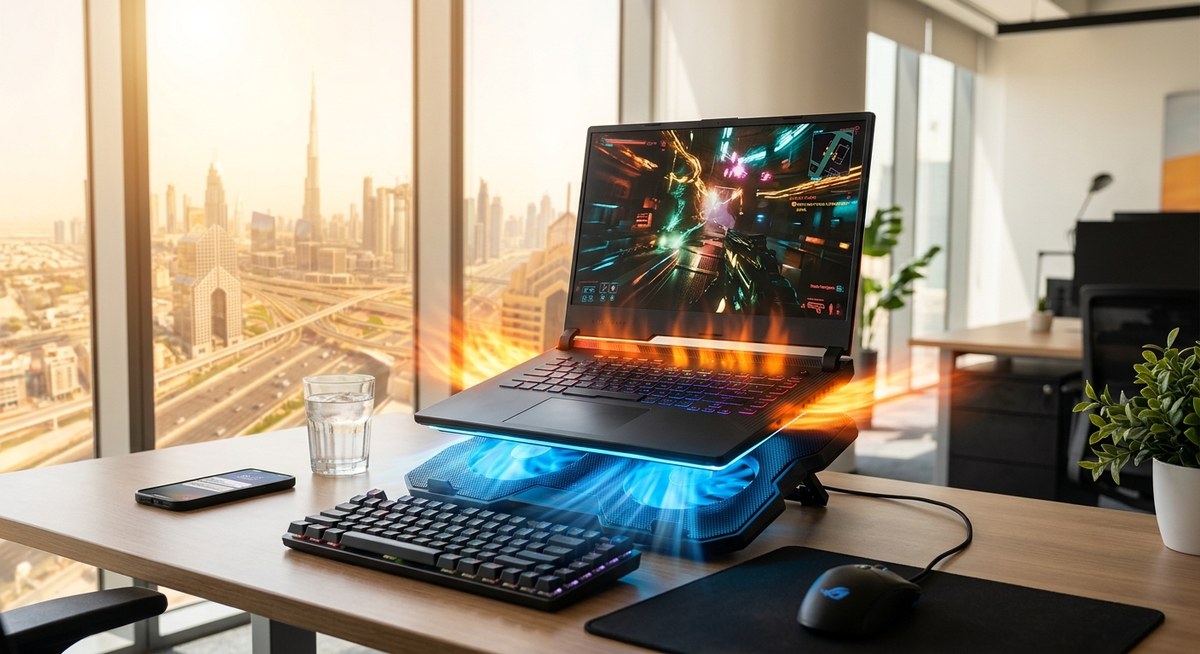
Why Your Next Laptop Should Have Excellent Cooling: A Middle Eastern Buyer’s Reality Check
Looking for a new laptop in the Middle East? High outdoor temperatures and intense heat can turn a simple device into a heat trap. Overheating is more than just an annoyance; it can slow down performance, shorten your laptop’s lifespan, and cause hardware failures. Choosing the right cooling solutions is vital, especially when regional conditions push laptops to their limits. This guide covers effective cooling options, common mistakes, and practical steps to keep your laptop cool despite the region’s challenging climate.
Middle Eastern buyers need tailored cooling solutions that address extreme heat. Practical steps include choosing laptops with good thermal design, using cooling pads, maintaining vents, and avoiding common mistakes that trap heat. Proper cooling preserves performance and extends device life in the regional climate.
Why Laptop Cooling Matters in the Middle East
In the Middle East, summer temperatures often soar beyond 40 degrees Celsius. Such extreme heat affects not just outdoor activities but also the internal components of laptops. When a device is exposed to high temperatures, thermal throttling kicks in. This reduces CPU and GPU speeds to prevent overheating, which can lead to lag, crashes, and slower workflows. Over time, heat stress causes hardware degradation, making cooling solutions essential for longevity.
Choosing a laptop with a well-designed cooling system is fundamental. Many brands now prioritize thermal management, but not all solutions are created equal. Regional conditions demand more than standard cooling. It’s about adapting your setup to handle intense heat, dust, and high humidity, which are common in Middle Eastern cities.
Practical Cooling Solutions for Middle Eastern Buyers
1. Select laptops with superior thermal design
When shopping for a laptop, look for models that feature advanced cooling systems. These include larger heat sinks, multiple fans, and heat pipes. Brands like ASUS, MSI, and Dell often incorporate cooling technologies tailored for high-performance tasks. For example, some gaming laptops are built with vapor chamber cooling, which disperses heat more efficiently.
2. Use cooling pads and external fans
Cooling pads are a cost-effective way to improve airflow. They elevate the laptop, allowing air to circulate underneath and preventing heat buildup. In regions with high ambient temperatures, investing in a quality cooling pad can make a noticeable difference. Look for models with multiple fans and adjustable speed settings.
3. Maintain good ventilation and keep vents clear
Dust accumulation and blocked vents are common causes of overheating. Regularly clean the vents with compressed air, especially in dusty environments. Avoid using your laptop on soft surfaces like beds or sofas, which can obstruct airflow. Instead, opt for a hard, flat surface that supports proper ventilation.
4. Manage internal temperature with software tools
Many laptops come with built-in thermal management software. Use these tools to monitor temperature levels and adjust performance settings accordingly. Limiting background processes during hot days also reduces heat output.
5. Optimize room conditions
Air conditioning or fans in your workspace can help maintain a lower ambient temperature. Creating a cooler environment reduces the thermal load on your laptop, especially during long gaming or work sessions. Remember, a cool room helps your device stay in optimal operating range.
6. Prioritize hardware with efficient cooling components
Some laptops come equipped with dual-fan systems or liquid cooling solutions. While more expensive, these are worth considering if you frequently run demanding applications. They provide consistent cooling, reducing the risk of thermal throttling.
Common Mistakes That Trap Heat and How to Avoid Them
| Mistake | Explanation | Solution |
|---|---|---|
| Using laptops on soft surfaces | Soft materials block vents, trapping heat | Use a hard, flat surface or cooling pad |
| Ignoring dust buildup | Dust insulates heat, impeding airflow | Regular cleaning with compressed air |
| Overloading with background apps | Extra processes generate more heat | Close unnecessary apps during intensive tasks |
| Neglecting room temperature | Hot rooms increase internal heat | Use air conditioning or fans to lower ambient temperature |
| Choosing low-quality cooling solutions | Cheap fans may be ineffective | Invest in reputable cooling pads and hardware with good thermal design |
Expert tip: “In regions with high temperatures, combining hardware choices with environmental control is key. Always keep vents clear and consider external cooling solutions for prolonged use.” — Regional tech specialist
How To Maximize Cooling Effectiveness
- Invest in a high-quality cooling pad. Look for models with adjustable fan speeds and good airflow design.
- Keep your laptop clean. Dust and debris block airflow, causing heat to build up.
- Adjust performance settings. Limit CPU and GPU speeds during heatwaves to prevent overheating.
- Use external fans or portable AC units in your workspace to reduce ambient temperature.
- Monitor temperatures regularly. Use tools like HWMonitor or MSI Afterburner to keep tabs on internal heat levels.
- Upgrade thermal paste if you’re comfortable opening your device. Fresh thermal paste improves heat transfer.
Choosing the Right Laptop for Hot Regional Conditions
For regional buyers, specific features matter:
- Robust cooling systems built into the chassis.
- Vapor chamber cooling for high-performance models.
- Good ventilation design with unobstructed vents.
- Durability against dust and humidity.
- Energy-efficient components that generate less heat.
In addition, consider models designed for gaming or content creation, as they often have better thermal management. For instance, gaming laptops with multiple fans and heat pipes perform well in the region’s heat.
Final Thoughts: Staying Cool in a Hot Climate
Keeping your laptop cool in Middle Eastern heat requires a combination of smart hardware choices and proper maintenance. Think of cooling as an investment in your device’s health and performance. Regular cleaning, environmental control, and selecting devices with strong thermal designs will ensure your laptop runs smoothly even during the hottest months. Remember, a well-cooled device not only performs better but also lasts longer.
By applying these practical steps, Middle Eastern buyers can enjoy reliable, high-performance laptops without fear of heat-related issues. Stay vigilant about your device’s temperature, and don’t hesitate to upgrade or accessorize for better thermal management. Your laptop will thank you with consistent performance, whether you’re gaming, working, or streaming during scorching summers.
Keep Your Laptop Cool and Perform at Its Best
In regions where summer temperatures soar, cooling solutions become more than just a convenience. They are essential for preserving your device’s health and ensuring seamless performance. Make informed choices, maintain your hardware properly, and adapt your environment to face the heat. With these strategies, your laptop will stay cool and efficient no matter how high the mercury rises.



Post Comment