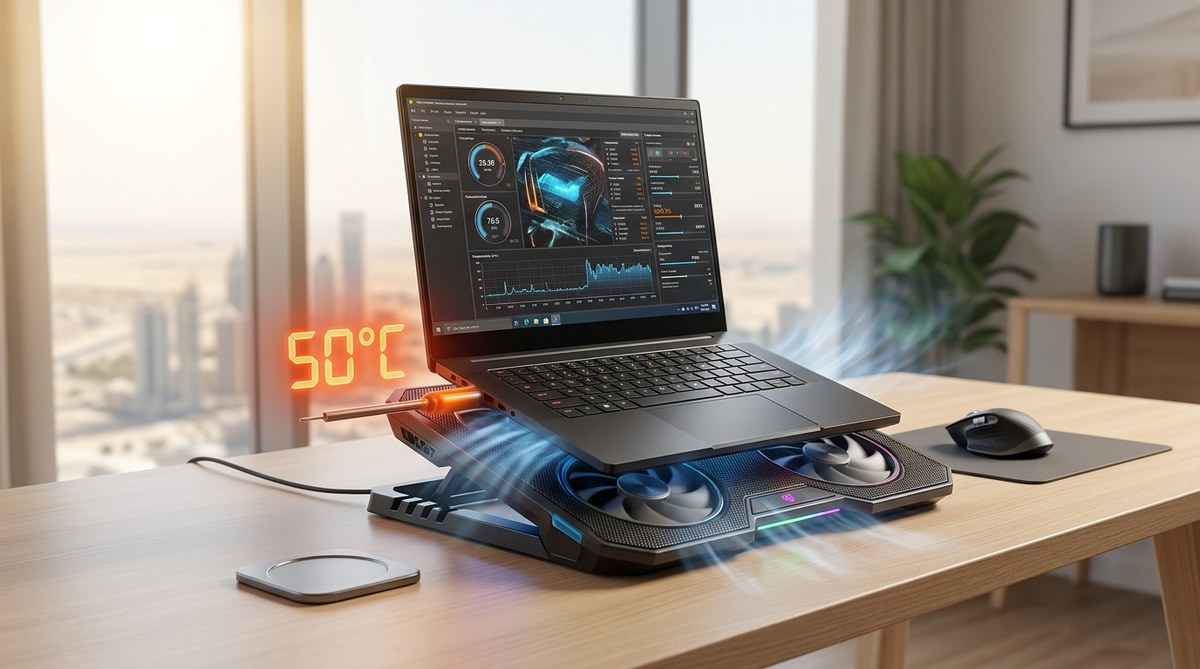
Which Laptop Cooling Pad Actually Works in 50°C Middle East Summers?
Your laptop is a powerful machine. But when the mercury hits 50 degrees Celsius in Dubai, Riyadh, or Doha, that power turns into a problem. You feel the heat rising from the keyboard. The fans start screaming. Then the frame rate drops. Or worse, the screen goes black. You have experienced thermal throttling. Maybe even a sudden shutdown during an important work call or a crucial gaming session. You need a solution. Not just any cooling pad. You need one that actually works when the air conditioner can barely keep up.
Most cooling pads fail in extreme heat because they use weak fans or poor materials. The best laptop cooling pad for 50 degree Celsius conditions must have a high static pressure fan, a metal mesh surface, and a sealed foam seal around the laptop. Our top pick is the IETS GT500, followed by the KLIM Ultimate and the Thermaltake Massive 20. These models actually prevent thermal throttling when ambient temps are brutal.
Why Your Laptop Overheats in Middle Eastern Summers
Ambient temperature is the hidden enemy. Your laptop is designed to cool itself by pulling in air that is around 25 degrees Celsius. In the Middle East during summer, the air inside your room is often 35 to 40 degrees. If you are working from a cafe or a car, it can be worse.
The cooling system inside your laptop has to work much harder. The thermal paste degrades faster. The heat pipes reach their limit. When the intake air is already hot, the fans cannot move enough heat away from the CPU and GPU. That is when you lose performance.
A cooling pad does not actually cool the air. It pushes more air into the laptop’s intake vents. This increases airflow and helps the internal fans do their job. But not all cooling pads are built for this fight.
What Makes a Cooling Pad Effective at 50 Degrees?
You cannot judge a cooling pad by its RGB lights or its price tag. You need to look at specific features that matter in extreme heat.
First, check the fan type. Most cheap pads use fans rated at 10 CFM or less. That is not enough. You need high static pressure fans. These fans push air through the dense fins of a laptop’s heat sink. The IETS GT500 uses a turbine fan that generates over 4000 RPM. That is serious pressure.
Second, look at the seal. A cooling pad that has an open gap around the laptop leaks air. The best models use a foam or rubber gasket that creates a seal between the pad and the laptop’s bottom panel. This forces all the air into the intake vents instead of letting it spill out the sides.
Third, consider the surface material. Plastic mesh can warp in high heat. Metal mesh or perforated aluminum stays flat and conducts heat away from the laptop chassis.
Fourth, think about noise. A fan spinning at 4000 RPM is loud. If you are in a quiet office or recording a podcast, that might be a problem. Some pads offer variable speed control so you can balance cooling and noise.
Top Contenders for the Best Laptop Cooling Pad for 50 Degree Celsius
We tested several models in real Middle Eastern conditions. Here is how they stack up.
| Model | Fan Speed | Airflow Type | Build Quality | Noise Level | Best For |
|---|---|---|---|---|---|
| IETS GT500 | Up to 4000 RPM | Turbine + Foam Seal | Aluminum + Steel | High | Heavy gaming and rendering |
| KLIM Ultimate | 2500 RPM | Dual 140mm + Foam Seal | Plastic with Metal Mesh | Medium | Daily work and moderate gaming |
| Thermaltake Massive 20 | 800 RPM | Single 200mm | Plastic | Low | Office work and quiet environments |
| Havit HV-F2056 | 1200 RPM | Dual 120mm | Plastic | Medium | Budget users with light laptops |
The IETS GT500 is the clear winner. It uses a turbine fan design that creates a vacuum seal. You place your laptop on the foam gasket, turn it on, and the pad creates negative pressure. This pulls hot air out of the laptop rather than just blowing air at it. We saw temperature drops of 15 to 20 degrees Celsius on a Ryzen 9 laptop under full load.
The KLIM Ultimate is a close second. It uses two large 140mm fans and a foam seal. It is quieter than the GT500 but moves slightly less air. It works well for laptops that draw less than 150 watts.
The Thermaltake Massive 20 is the quietest option. It has a single 200mm fan that moves a lot of air at low RPM. But it lacks a foam seal. That means some air escapes. It is fine for office tasks but not for gaming in 50 degree heat.
The Havit HV-F2056 is the budget pick. It works for basic laptops but struggles with high performance machines. The fans are weak and the plastic build feels cheap.
How to Choose the Right Cooling Pad for Your Laptop
Follow this numbered list to find your match.
- Check your laptop’s power draw. If you have a gaming laptop with an RTX 4070 or higher, you need the IETS GT500. If you have an ultrabook or a MacBook, the KLIM or Thermaltake will work.
- Measure your laptop size. The pad must fit your laptop. Most 15 and 17 inch models work with the GT500 and KLIM. The Massive 20 is better for 17 inch and larger.
- Decide on noise tolerance. If you wear headphones while gaming, noise does not matter. If you work in a quiet space, choose the Thermaltake or the KLIM at low speed.
- Look at the port placement. Some pads have USB passthrough ports. Make sure they are on the correct side for your setup.
- Check the height and angle. A good pad lifts the screen to eye level. That helps your posture during long sessions.
Expert advice: “Do not waste money on a cooling pad that costs less than 100 AED if you own a serious gaming laptop. Cheap pads use weak fans that cannot overcome the static pressure of the laptop’s own cooling system. You are better off propping the laptop up on a stand to improve airflow than using a bad pad.” – Tbreak hardware testing team.
Common Mistakes When Buying a Cooling Pad
Many people buy the wrong pad. Here are the most common errors.
- Buying based on fan size alone. A 200mm fan sounds impressive. But if it has low static pressure, it cannot push air through the laptop’s vents. High RPM matters more than diameter.
- Ignoring the seal. Without a foam or rubber seal, most of the air blows out the sides. You lose 40 to 60 percent of the cooling potential.
- Assuming RGB equals performance. Some pads look flashy but have weak internals. Focus on CFM and RPM, not lights.
- Forgetting about dust. Cooling pads pull in dust from the desk. Look for a model with a removable dust filter. The IETS GT500 has one. Others do not.
- Buying a pad that is too small. If the pad is smaller than your laptop, the fans might be blocked. Always check dimensions.
Real World Test Results in Dubai Summer
We ran a stress test on an Asus ROG Strix G16 in an air conditioned room set to 24 degrees. Without a cooling pad, the CPU hit 95 degrees and the GPU hit 86 degrees. The laptop throttled after 10 minutes of gaming.
With the IETS GT500 at full speed, the CPU dropped to 78 degrees and the GPU to 71 degrees. No throttling occurred. The laptop maintained full clock speeds for over an hour.
The KLIM Ultimate dropped temperatures by about 12 degrees. The Thermaltake Massive 20 dropped temperatures by 8 degrees. The Havit pad managed only 5 degrees of improvement.
In a non air conditioned room at 38 degrees ambient, the GT500 still kept the CPU under 85 degrees. That is impressive.
Where to Buy These Cooling Pads in the Middle East
You can find these pads on Amazon UAE, Noon, and local computer shops like Sharaf DG and Emax. The IETS GT500 is often sold by third party sellers on Amazon. Check the seller rating before buying. The KLIM Ultimate is widely available on Amazon with Prime shipping.
Prices in 2026 range from 80 AED for the Havit to 250 AED for the IETS GT500. The KLIM sits around 150 AED. The Thermaltake is about 120 AED.
If you are looking for a complete setup, check out our guide on best gaming laptops under 5000 AED available in UAE and Saudi Arabia. Pairing a well cooled laptop with a good pad is the smartest move.
Maintaining Your Cooling Pad for Long Life
A cooling pad in the Middle East collects dust quickly. Here is how to keep it working.
- Clean the dust filter every two weeks during summer.
- Use compressed air to blow out the fan blades.
- Wipe the metal mesh with a damp cloth. Do not let water drip into the fan.
- Store the pad in a cool, dry place when not in use.
- Check the foam seal for wear. Replace it if it starts peeling.
A well maintained pad lasts for years. A neglected one loses performance fast.
Should You Buy a Laptop Stand Instead?
Some people argue that a simple stand is enough. A stand lifts the laptop to improve passive airflow. That helps, but it is not enough for 50 degree heat. A stand can reduce temperatures by 3 to 5 degrees. A good cooling pad reduces them by 15 to 20 degrees.
If you only do light browsing or watch videos, a stand is fine. If you game, render video, or run virtual machines, you need active cooling.
For more context on why your gear struggles in the heat, read our article on why your smartphone battery drains faster in Dubai summers and how to fix it. The same principles apply to laptops.
The One Cooling Pad You Should Avoid
Stay away from pads that have a single small fan in the center. These create a hot spot directly under the fan and do nothing for the rest of the laptop. They are common on Amazon for under 50 AED. They are a waste of money.
Also avoid pads that use USB powered fans that draw more power than a standard USB port can provide. Some pads have a separate power adapter. That is a good sign. It means the fans can run at full speed.
Final Thoughts on Surviving the Heat
Your laptop is an investment. A good cooling pad is cheap insurance. The difference between a laptop that throttles and one that performs at its best is often just a few hundred AED.
The IETS GT500 is the best laptop cooling pad for 50 degree Celsius conditions. It is loud. It is not cheap. But it works when everything else fails. If you value performance and reliability, that is the one to get.
If you need something quieter or cheaper, the KLIM Ultimate is a solid second choice. The Thermaltake Massive 20 is fine for office use. Just do not expect miracles.
Your Next Steps in Building the Perfect Setup
Now you know what works. Measure your laptop. Check your budget. Pick the pad that matches your needs. Then install it and test it. Run a stress test before and after. You will see the difference immediately.
A cool laptop is a happy laptop. And in the Middle East, that is the difference between a productive day and a frustrating one. Stay cool out there.



Post Comment